Documentation Index

Fetch the complete documentation index at: https://docs.gravitex.ai/llms.txt

Use this file to discover all available pages before exploring further.

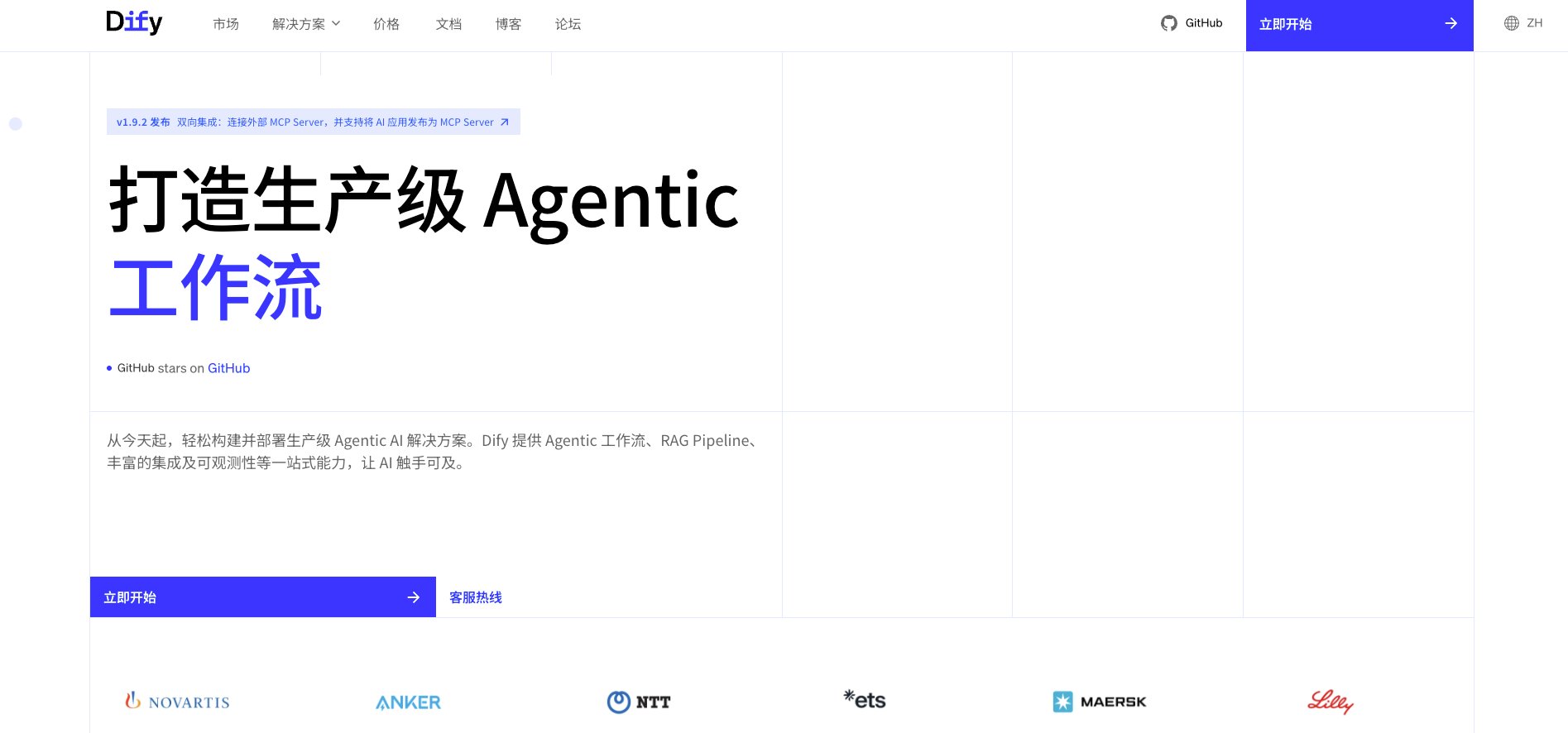
Dify is an open-source LLM application development platform that offers visual orchestration, knowledge bases, workflows, and API services — letting you ship chatbots, agents, and RAG apps quickly. With GravitexAI, you can drive Dify with a single API key against 100+ leading models (Claude, OpenAI, Gemini, Qwen, DeepSeek, Kimi, and more) while benefiting from unified billing, automatic failover, and enterprise-grade reliability. Dify Platform Dify Features

1. Quick Integration

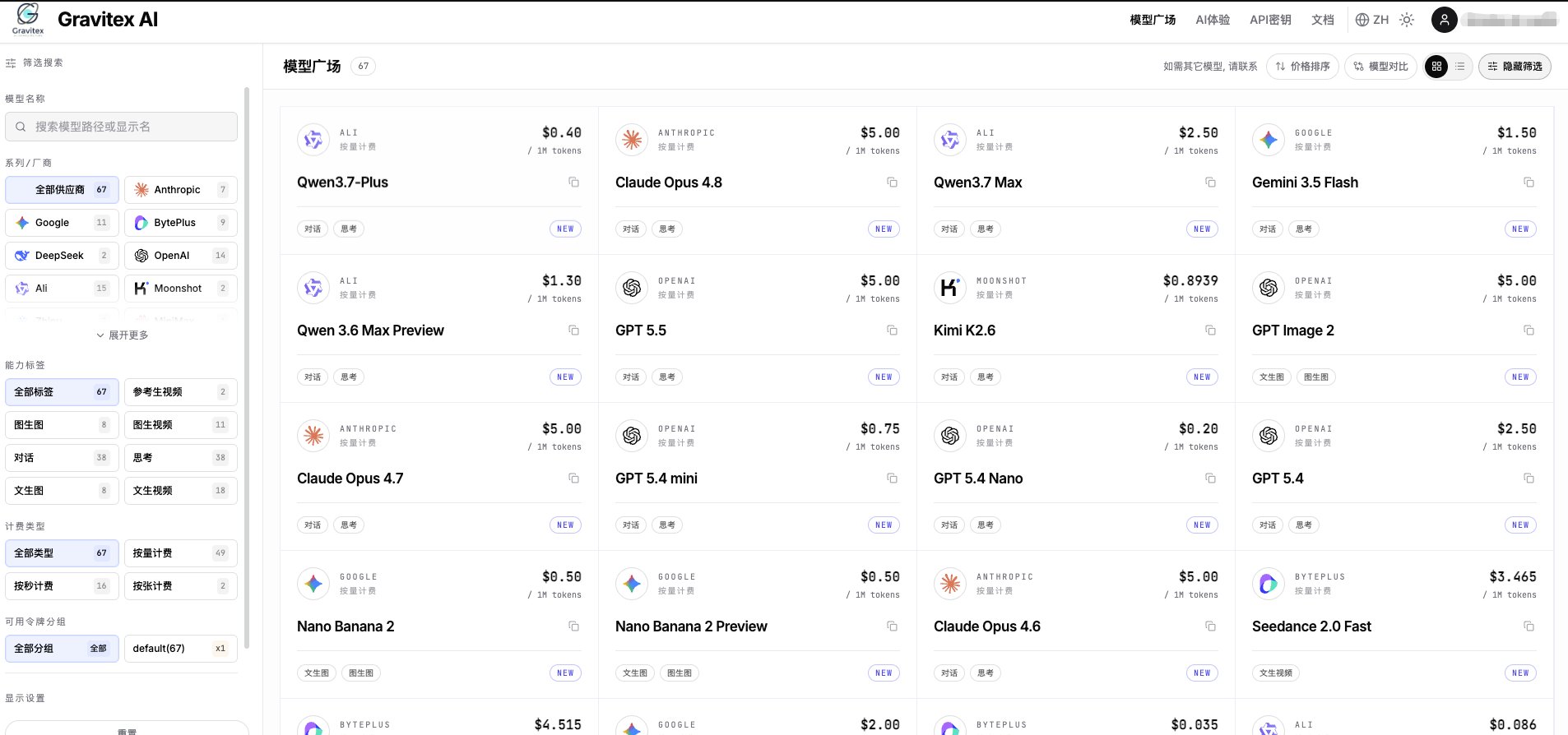
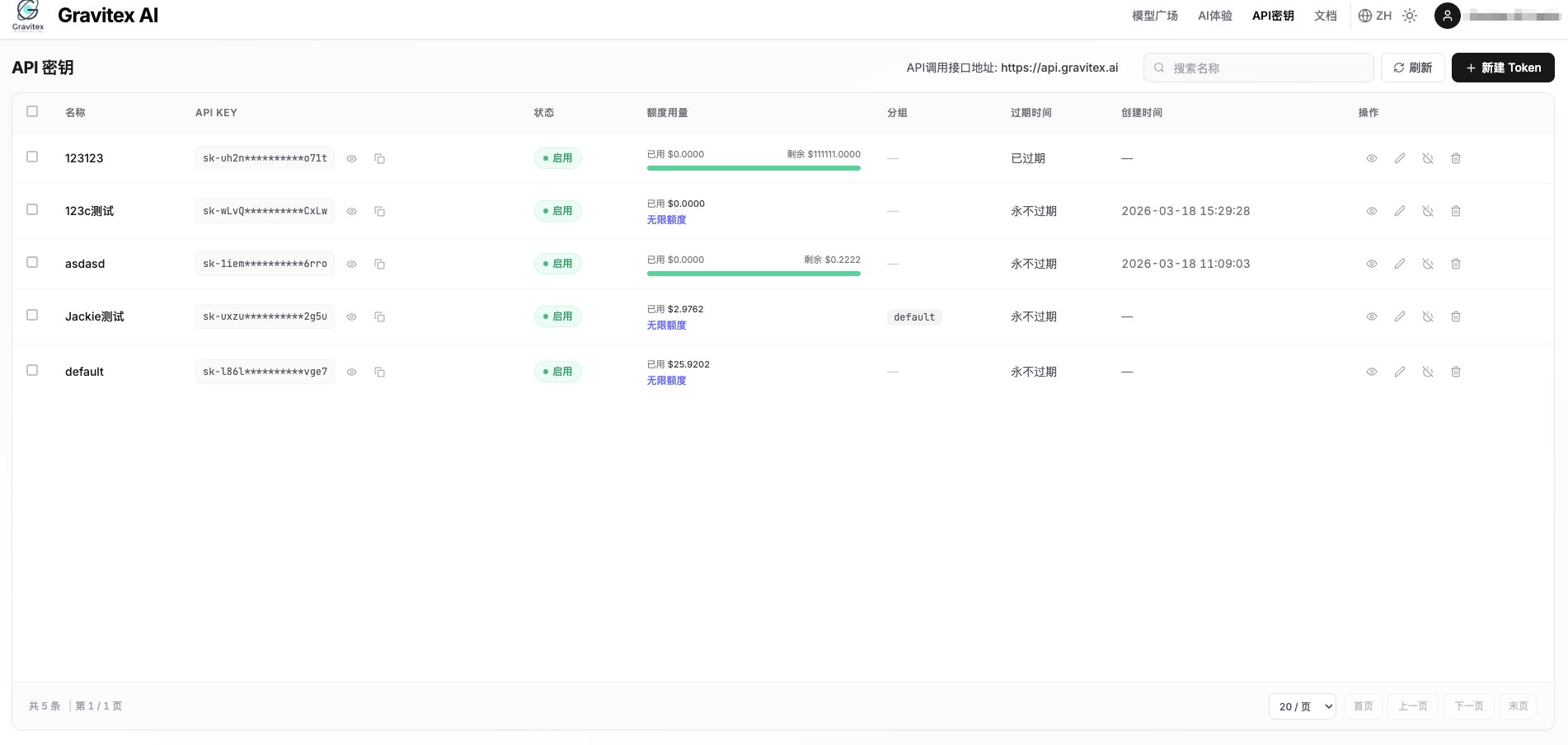
1.1 Get an API Key

Visit the GravitexAI Console and create an API key: Console 1 Console 2 Get API Key
1.2 Open Dify Model Providers

  1. Log in to Dify, click your avatar (top-right) → Settings
  2. From the left menu, choose Model Provider
  3. Find the OpenAI-API-compatible plugin in the list and install it
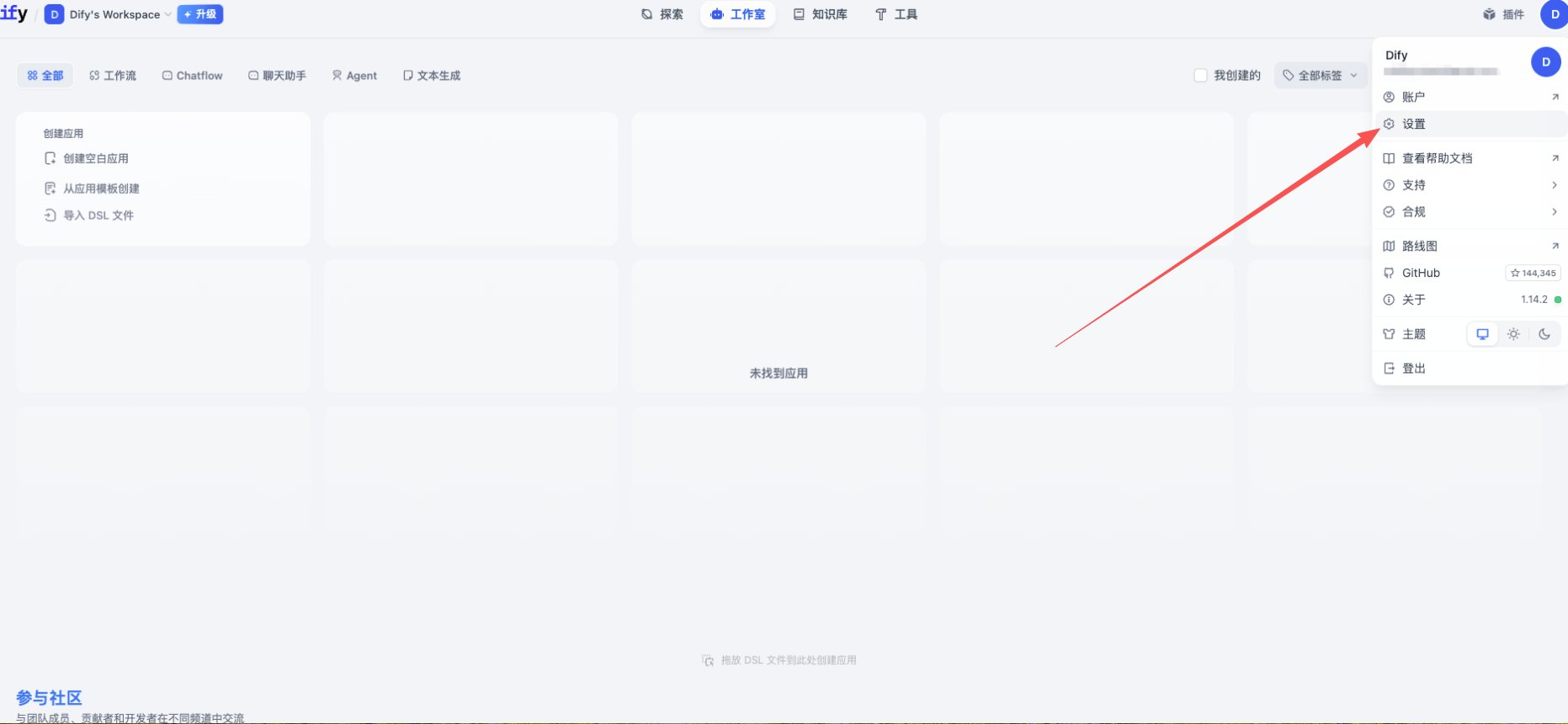
Model Providers
OpenAI-API-compatible supports LLM / Embedding / TTS / STT endpoint types. GravitexAI is fully compatible — one plugin covers every model.

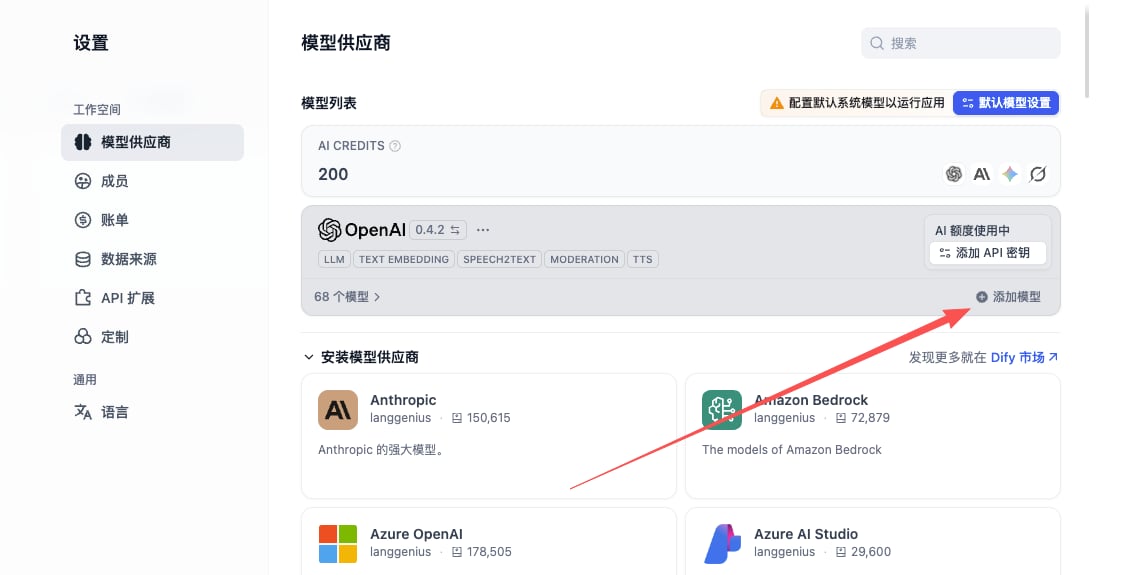
1.3 Add a Model

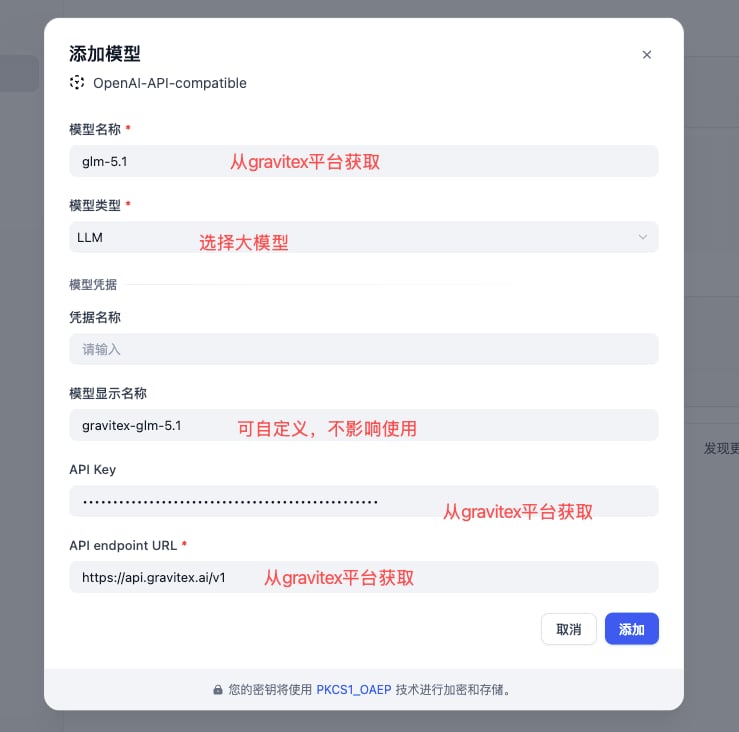
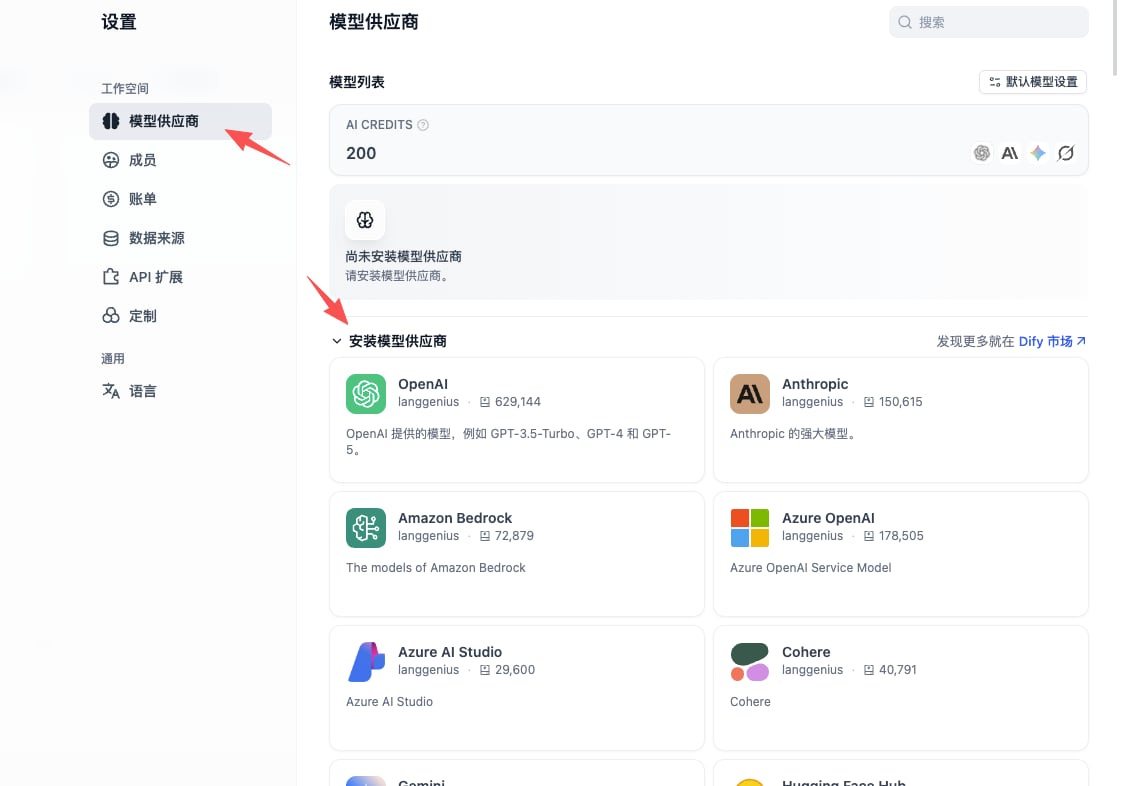
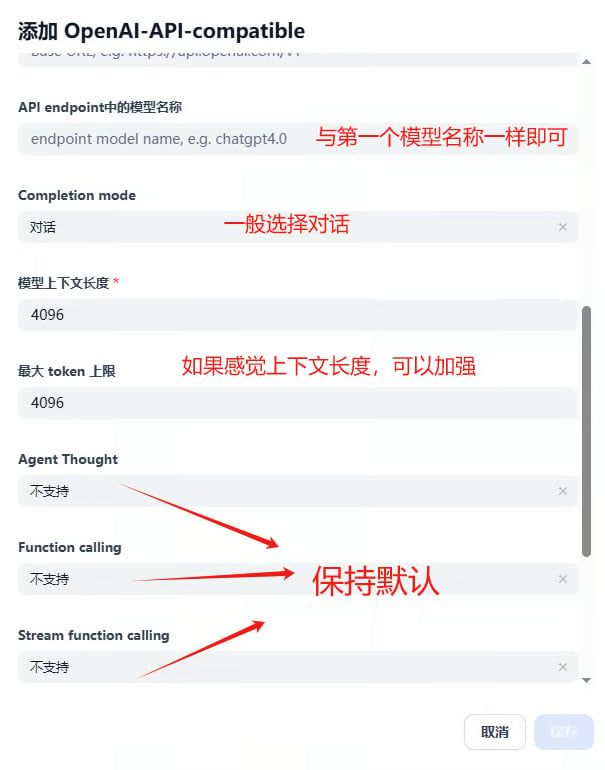
After installing the plugin, click Add Model and fill in the three core fields below: Add Model — entry Configuration example Save & finish
FieldValueNotes
Model TypeLLM / Text Embedding / Speech2text …Match the endpoint type
Model Namee.g. gpt-5.5, claude-opus-4-7, gemini-3.5-flashMust be the canonical model ID. Free-form display names will not work.
Display Namee.g. GPT-5.5, Claude Opus 4.7Anything readable; UI only
API KeyCopy from the GravitexAI ConsoleFormat: sk-xxxxxxxx
API endpoint URLhttps://api.gravitex.ai/v1Don’t drop the trailing /v1
Model Name in API endpointIdentical to “Model Name”Dify sends this as the model field in the request body
Model Name” and “Model Name in API endpoint” must be identical. Friendly names with spaces (e.g. Gemini 3.5 Flash) will return 404 / model not found.

1.4 Context Length

Dify defaults to max_context = 4096, which is far below most modern models. Override it based on the model you choose:
ModelContext
claude-opus-4-7 / gpt-5.5 / gemini-3.5-flash1,000,000
claude-sonnet-4-5 / claude-haiku-4-5200,000
kimi-k2.5256,000
deepseek-v3-2-251201128,000
Full context specs live on the model catalog.

2. Core Features

2.1 Chat Assistant

The simplest app type — great for support bots, Q&A, and role-play:
  1. Create app → choose Chat Assistant template
  2. Configure the system prompt:
    You are the GravitexAI integration assistant. Your job:
    - Answer questions about wiring up our API
    - Recommend models that fit the user's scenario
    - Refer the user to the docs or BD when unsure
    Keep tone friendly, professional, and concise.
    
  3. Pick gpt-5.5 or claude-opus-4-7 as the model
  4. Suggested parameters: temperature = 0.7, max_tokens = 2000

2.2 Workflow Application

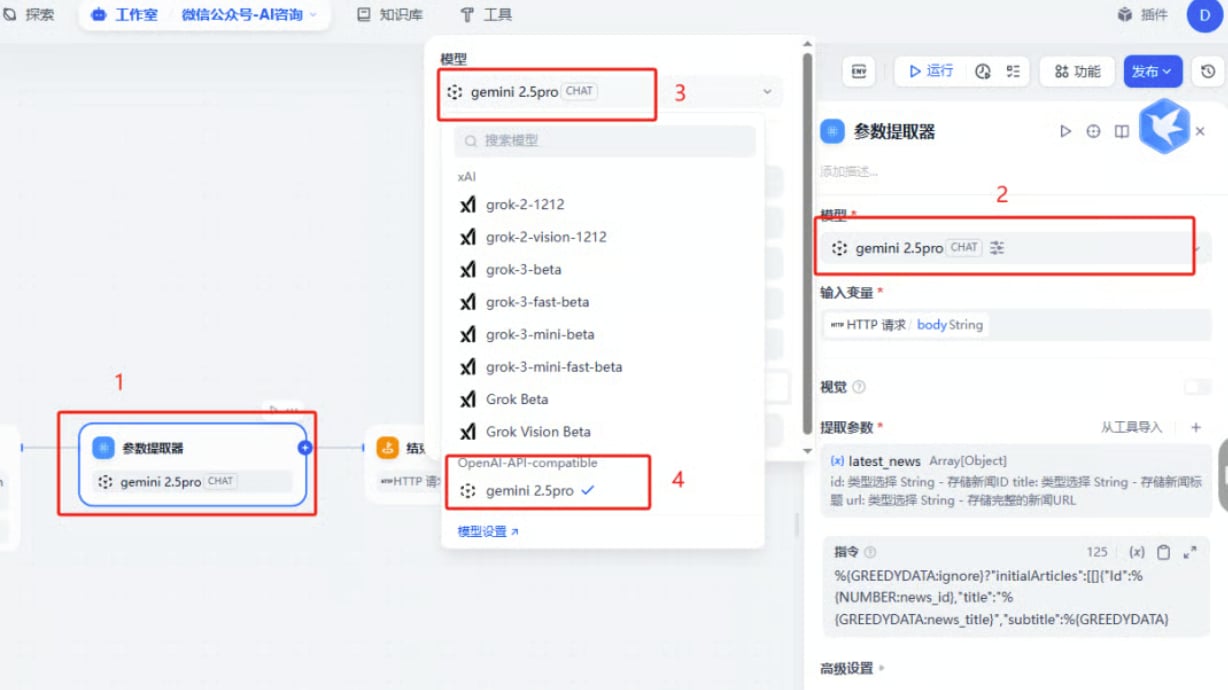
Compose multi-step DAGs with branches, parallel paths, and loops: Node-by-node model suggestions:
  • Intent classification: gemini-3.5-flash (high throughput, low latency)
  • KB retrieval / embedding: text-embedding-3-large or gemini-embedding-001
  • Long-doc reasoning: claude-opus-4-7 (1M context, strong reasoning)
  • Code generation: gpt-5.5 or qwen3-coder-plus

2.3 Knowledge Base Q&A (RAG)

  1. Create a knowledge base → upload documents (PDF / Word / Markdown / TXT)
  2. Embedding model: text-embedding-3-large recommended
  3. Chunking: auto-split by paragraph, ~500 tokens per chunk
  4. Reference the KB in the app
  5. Retrieval parameters:
    • Top-K: 3–5
    • Similarity threshold: 0.7
    • Reranker: enabled (significantly improves relevance)

3. Application Templates

type: chat assistant
model: gpt-5.5
system_prompt: |
  You are a professional AI customer support agent. Responsibilities:
  - Answer user questions
  - Provide product information
  - Handle post-sales support
  Keep tone friendly and professional.
temperature: 0.7
max_tokens: 2000

4. Advanced Features

4.1 Call Dify Apps via API

Each Dify app is exposed as an HTTP service that can be called from outside:
import requests

url = "https://your-dify-instance/v1/chat-messages"
headers = {
    "Authorization": "Bearer YOUR_DIFY_APP_API_KEY",
    "Content-Type": "application/json",
}

payload = {
    "inputs": {},
    "query": "Introduce GravitexAI in one sentence.",
    "response_mode": "streaming",
    "user": "user_123",
}

resp = requests.post(url, headers=headers, json=payload, stream=True)
for line in resp.iter_lines():
    if line:
        print(line.decode("utf-8"))

4.2 Multimodal Input (Vision)

Vision-capable models (gpt-5.5, claude-opus-4-7, gemini-3.5-flash) accept image input:
{
    "inputs": {
        "image": "data:image/jpeg;base64,...",
        "instruction": "Identify the key information in this image."
    },
    "query": "Describe the image in detail and provide actionable insights."
}

4.3 Batch Processing

For large-scale workloads (CSV imports, bulk summarization, etc.):
  1. Pick a fast/cheap model (gemini-3.5-flash, gpt 5.4 mini)
  2. Cap concurrency in your Dify workflow to avoid hitting rate limits all at once
  3. Enable result caching to avoid re-billing identical inputs

5. Model Selection

Full scenario-based model picks

Browse GravitexAI’s recommendations across writing, coding, fast response, long-context, image generation, and more.

Cost optimization: dev vs prod

development:
  model: gemini-3.5-flash       # low cost, fast iteration
  max_tokens: 1000
  temperature: 0.7

production:
  model: claude-opus-4-7         # flagship intelligence, reliable
  max_tokens: 2000
  temperature: 0.3
  fallback: gpt-5.5              # GravitexAI auto-failover
GravitexAI provides platform-level automatic failover. If a provider is unavailable, traffic is routed to an equivalent model automatically — no manual fallback chain in Dify required.

6. Best Practices

6.1 Structured prompts

# Role
You are a professional [role here].

# Task
Help the user complete [the specific task].

# Output Format
1. Summary (≤ 100 words)
2. Detailed analysis (bullet points)
3. Recommended actions

# Constraints
- Be factual; flag uncertainty explicitly
- Keep total length under 500 words
- Respond in [language]

6.2 Workflow design

6.3 Observability

Track regularly:
  • ✅ User feedback (thumbs up/down)
  • ⏱️ P95 latency
  • 💰 Cost per call and daily/monthly usage curve
  • ❌ Error rate and root cause distribution
The GravitexAI console shows per-key and per-model usage and cost in real time for easy reconciliation.

6.4 Versioning

  • Regularly export Dify app configs (JSON / YAML) as backups
  • Roll out new versions via canary; keep at least N-1 for rollback
  • Pin model versions in production to avoid surprise behavior changes

7. Troubleshooting

401 / invalid API key
  • Re-copy the API key from the GravitexAI Console
  • Verify the account has balance
  • Confirm baseURL is https://api.gravitex.ai/v1 (note the trailing /v1)
404 / model not found
  • Use the canonical model ID (e.g. gpt-5.5, not GPT-5.5)
  • “Model Name” and “Model Name in API endpoint” must be identical
Slow streaming / hangs
  • Prefer Flash / Mini tier models
  • Reduce max_tokens
  • Turn on Dify response caching

Performance tuning template

caching:
  enabled: true
  ttl: 3600s
  key: identical input

concurrency:
  max_in_flight: 10
  queue_size: 100
  timeout: 30s

resources:
  memory: 2GB
  cpu: 80%

8. Deployment Recommendations

Production Docker Compose (self-hosted Dify)

version: '3.8'
services:
  dify-api:
    image: langgenius/dify-api:latest
    environment:
      - SECRET_KEY=your-secret-key
      - DB_HOST=postgres
      - REDIS_HOST=redis
      - OPENAI_API_KEY=sk-your-gravitex-key
      - OPENAI_API_BASE=https://api.gravitex.ai/v1
    depends_on:
      - postgres
      - redis

  dify-web:
    image: langgenius/dify-web:latest
    ports:
      - "3000:3000"
    depends_on:
      - dify-api

  postgres:
    image: postgres:14
    environment:
      - POSTGRES_DB=dify
      - POSTGRES_USER=dify
      - POSTGRES_PASSWORD=password

  redis:
    image: redis:alpine

Security

  • Store the API key in env vars or a secrets manager — never hardcode it inside Dify configs
  • Terminate HTTPS in front of Dify (Nginx / Caddy / Traefik)
  • Enable SSO / 2FA for the Dify admin console
  • Keep base images and dependencies up to date

Health checks

import requests, time

def monitor_dify():
    try:
        r = requests.get("http://dify-api:5001/health", timeout=5)
        if r.status_code == 200:
            print("Dify healthy")
        else:
            print(f"Unhealthy, status: {r.status_code}")
    except Exception as e:
        print(f"Probe failed: {e}")

while True:
    monitor_dify()
    time.sleep(60)

9. Reconciliation & Insights

Once integrated, head back to the GravitexAI Console to see request volume, token consumption, cost breakdown, and per-model success rates: Usage 1 Usage 2 Model comparison
  • Always use the canonical model ID (lowercase, exactly matching the official ID)
  • Standard API base: https://api.gravitex.ai/v1
  • Iterate on the full workflow with a fast/cheap model like gemini-3.5-flash, then swap to claude-opus-4-7 / gpt-5.5 for production
  • For high-volume workloads, reach out to bd@gravitex.ai for dedicated quotas